Error Handling
Textwire provides a simple and user-friendly API, but errors can still occur during template processing, evaluation, or configuration. This guide covers error handling patterns to help you identify and resolve issues effectively.
Common Error Scenarios
Textwire returns detailed error messages to help identify and resolve issues quickly.
Common Error Cases
Here are several common error types:
- Incorrect Argument Types: Passing wrong type arguments to functions (e.g., integer to string function)
- Division by Zero: Attempting division by zero
- Undefined Functions: Using non-existent functions
- Undefined Variables: Referencing undefined variables
- Undefined
@insertStatements: Using undefined insert names in layouts - Duplicate
@insertor@slotStatements: Multiple definitions with same name - Invalid Layout File Paths: Specifying non-existent layout paths like
@use('dir/something')
Error Handling in Go
Error handling in Textwire occurs in your Go code. Most functions return standard Go error types that you handle with typical Go error checking patterns.
Basic Error Handling
inp := "{{ name.split(1) }}"

result, err := textwire.EvaluateString(inp, map[string]any{
    "name": "Amy Adams",
})

if err != nil {
    // Handle error
    log.Printf("String evaluation failed: %v", err)
}
The split function requires a string argument, not an integer. When incorrect argument types are passed, Textwire returns an error from the EvaluateString function. You will get an error: String evaluation failed: [Textwire ERROR:1]: first argument for function 'split' on type 'STRING' must be a STRING.
Common Error Handling Patterns
// Function registration
if err := textwire.RegisterStrFunc("_func", fn); err != nil {
    log.Fatal(err)
}

// Template creation
tpl, err := textwire.NewTemplate(config)
if err != nil {
    log.Fatal(err)
}

// Template evaluation
result, err := textwire.EvaluateString(input, data)
if err != nil {
    log.Printf("Evaluation error: %v", err)
}

// Web handler
func homeHandler(w http.ResponseWriter, r *http.Request) {
    err := tpl.Response(w, "home", data)
    if err != nil {
        http.Error(w, "Internal Server Error", http.StatusInternalServerError)
        log.Printf("Template error: %v", err)
        return
    }
}
Error Pages
Error Behavior
- Single File or String Evaluation: Errors result in empty output
- Template System: Errors render a custom error page instead of content
The error page is fully customizable and configurable via the configuration.
When errors occur, preventing output display protects against incorrect data being shown to users. This maintains data integrity and security. Read more in the FAQ section.
Error in Production
When something goes wrong with your Textwire code, you'll get pre-defined HTML with the static message displayed. This is what people would see when your app is in production:

Error with Debug Mode
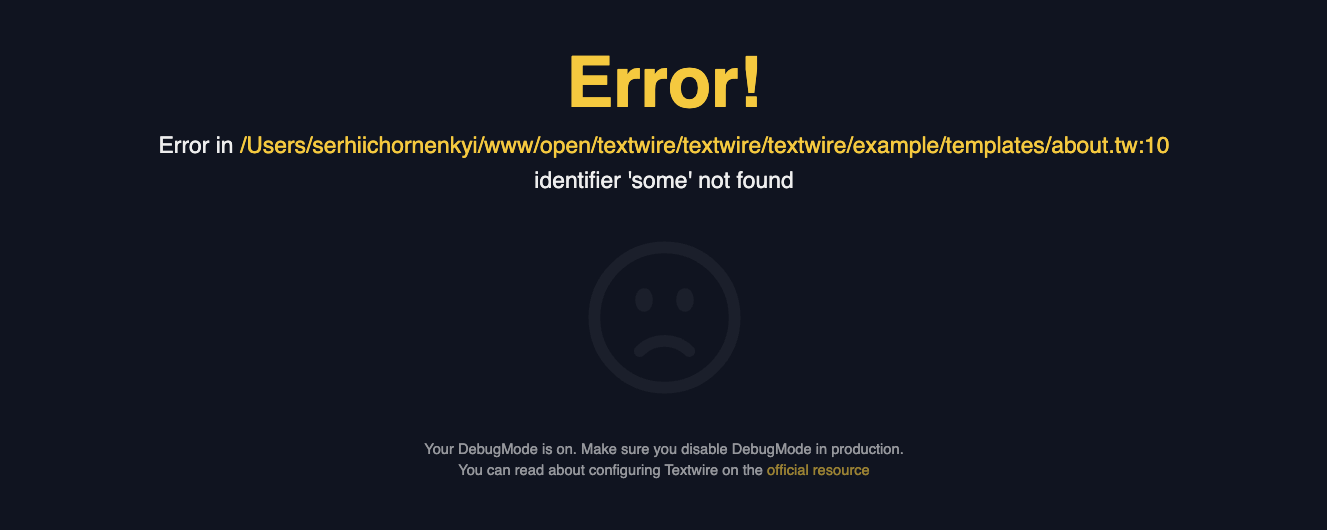
When you enable the DebugMode in Textwire, you can see the error message in the browser. This is useful when you are developing your application and want to see the error message in the browser. This is what you would see when the DebugMode is set to true:
Custom Error Pages
Create custom error pages by setting the ErrorPagePath configuration. Read more in the Available Configurations section.
Creating a Custom Error Page
Use layouts and Textwire syntax for your error page:
@use('~main')

@insert('title', 'About Us')

@insert('content')
    <h1>Oops!</h1>
    <p>Something went wrong.</p>
    <p><a href="/">Go back to home</a></p>
@end
Save this file in your templates directory, preferably as error-page.tw.
Configuration Example
func main() {
    tpl, err = textwire.NewTemplate(&config.Config{
        ErrorPagePath: "error-page",
        DebugMode:     false,
    })
}
With default TemplateDir of "templates", the error page will be loaded from templates/error-page.tw.
Custom error pages render only when DebugMode is false. Debug mode shows detailed error information instead.
Best Practices
- Always check errors from Textwire functions
- Log errors appropriately for debugging and monitoring
- Use custom error pages in production for better user experience
- Enable debug mode only during development with
os.Getenv("APP_DEBUG")or something similar - Handle web errors gracefully without exposing internal details